

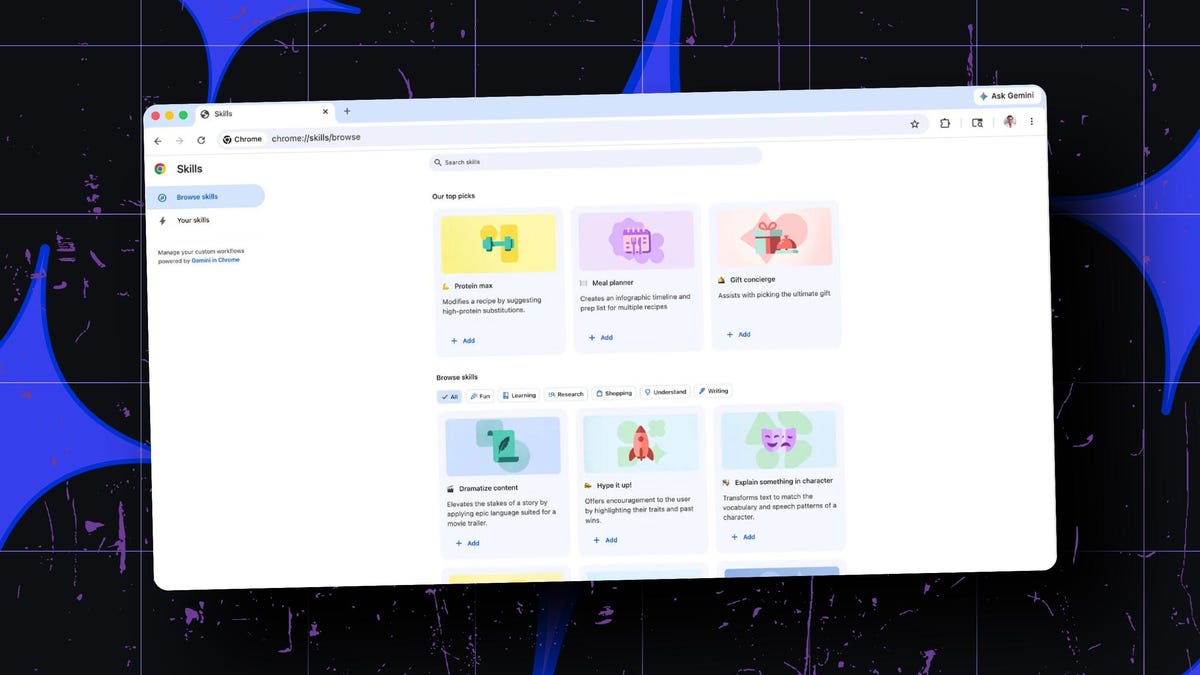
Chrome’s new ‘Skills’ update lets you save AI prompts now – for one-click reuse

Follow ZDNET: Add us as a preferred source on Google.
ZDNET’s key takeaways
- Chrome now lets you save and reuse your AI prompts.
- The feature works with your Gemini chats in Chrome.
- You can also customize any saved AI prompts.
As I use Google Gemini and other AIs, I often find myself writing the same prompts for different questions or requests. Sometimes, I remember writing an ideal prompt in the past but can’t quite recall how I phrased it. If only I could easily reuse past prompts.
Now I can, at least with Gemini and Chrome. Rolling out Tuesday is a new feature in Chrome for the desktop called Skills.
Skills in Chrome
With Skills, you can save an AI prompt and then reuse it in the future just by selecting it from a list. To reuse a saved prompt in your chat window, just type the forward slash or click the plus button and select the Skill from the menu. That Skill then runs in your new chat. You can also edit your saved prompts and create new ones.
Also: I tested ChatGPT Plus vs. Gemini Pro to see which is better – and if it’s worth switching
Skills are designed to work with the Ask Gemini feature in Chrome. When you want help with a particular web page, you’re able to chat with Gemini in a sidebar. Here, you can ask the AI questions about the content and even reference pages across multiple tabs.
In a new blog post, Google highlighted a few sample Skills cooked up by early testers of the feature.
In one instance, a saved prompt quickly calculates protein macros for any recipe you find on the web. In another, the Skill shows you side-by-side comparisons of different products displayed in multiple tabs. In one more, the saved prompt scans a long document on a web page to surface important details.
Library of Skills
To kick off the new feature, Google has also created a library of Skills for common tasks and topics.
One such Skill finds the right gift by comparing your budget with the interests of the recipient. Another Skill checks the ingredients of a food product you’re viewing online. If you like one of Google’s pre-built Skills, you can save it to your own list, where you’re able to tweak it or simply reuse it down the road.
Also: How to switch from ChatGPT to Gemini – without starting from scratch
As a safeguard, certain Skills will ask for your permission before they run, especially if they’re performing specific actions such as sending an email or adding an event to your calendar. Your Skills are also protected by Chrome’s own security defenses.
Availability
For now, Skills are rolling out to all Chrome desktop users with their language set to US English. As they are just in the process of launching, you may have to wait a bit before they reach you. Once they arrive, you’ll be able to access them by typing the forward slash while using Gemini in Chrome and then clicking the compass icon.